EPG Validator: How to Check Your Xtream Codes Guide Data
How to validate an EPG (XMLTV) feed for Xtream Codes - check the XML structure, channel ID matching, and timezone handling so your guide populates.
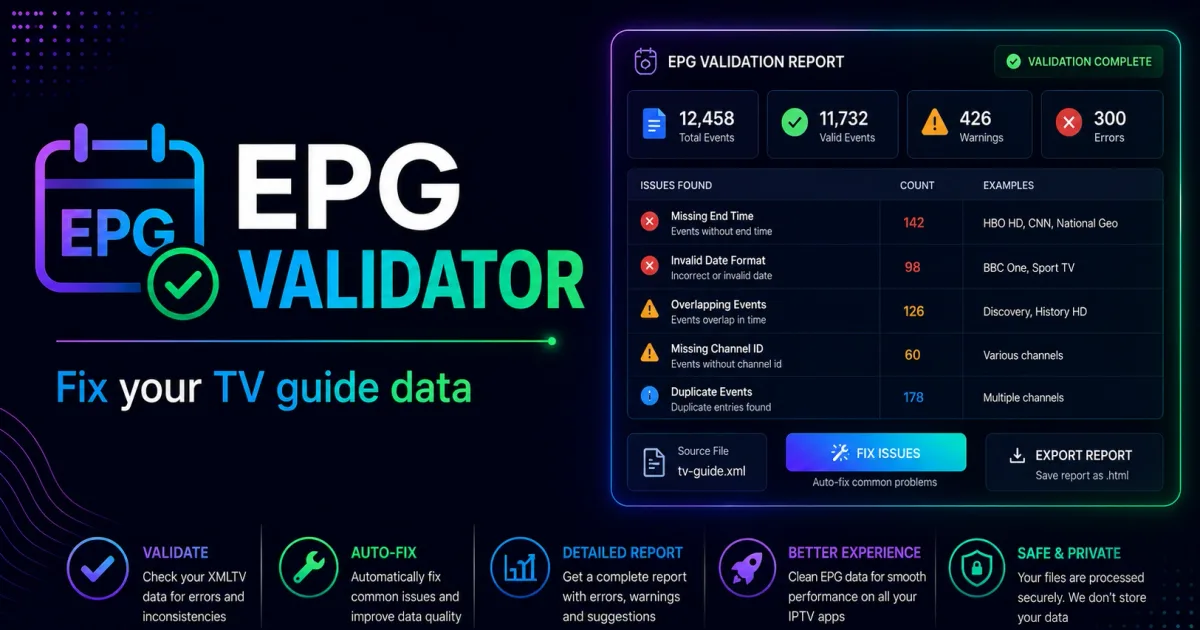
An EPG validator parses your XMLTV feed and checks the three things a player needs to build a guide: well-formed XML, matching channel IDs, and valid programme times. If your guide is empty, shifted, or partial, a validator pinpoints the cause. This guide covers what validators check and how to do the same checks manually.
What validators check
An XMLTV (EPG) feed has a structure like this:
<tv>
  <channel id="examplenews.hd">
    <display-name>News HD</display-name>
  </channel>
  <programme start="20260804220000 +0000" stop="20260805000000 +0000" channel="examplenews.hd">
    <title>Evening News</title>
  </programme>
</tv>
Validators verify three layers:
- XML well-formedness — the file parses without errors, encodings are declared, and no duplicate
channelids exist. - Channel ID matching — every
programmereferences achannelid that exists in the file, and (externally) the ids line up with thetvg-idvalues in your M3U playlist. - Time sanity —
start/stoptimes parse as valid UTC timestamps and stops follow starts.
The full field reference is in Xtream Codes EPG.
Validating a feed without installing a tool
Step 1 — check the XML parses. Most feeds load from xmltv.php on the portal. Fetch it and confirm your editor or browser reads it as valid XML:
curl "http://portal.example:8080/xmltv.php?username=USER&password=PASS" -o guide.xmlA feed that fails XML parsing will blank the entire guide. If the downloaded file ends mid-tag or contains HTML error text, the export is truncated or your credentials were rejected.
Step 2 — check channel ID coverage. The most common failure is an ID mismatch: your playlist says tvg-id="examplenews.hd" but the feed defines id="news_hd". Every mismatch shows up as “No information” in the player. Compare the id attributes in the feed against the tvg-id values in the playlist.
Step 3 — sanity-check the timestamps. XMLTV times are UTC. If every programme appears shifted by the same number of hours, the feed uses local time and the player needs a UTC offset. Some players call this “EPG time offset” or “UTC adjustment”.
If you use a dedicated validator, prefer an open-source, local tool. An online “EPG validator” that asks for your portal URL is getting your credentials — see Xtream Codes security.
Common EPG failures and fixes
| Symptom | Cause | Fix |
|---|---|---|
| Entire guide blank | Feed is invalid XML or credentials rejected | Verify the feed download, re-fetch |
| Some channels “No information” | tvg-id vs feed id mismatch | Align playlist IDs with the feed |
| Guide shifted by N hours | Feed uses local time, not UTC | Apply UTC offset in player or feed |
| Programmes in wrong order | start after stop, or duplicate ids | Re-export the feed from the provider |
| Guide stops updating | EPG cache not refreshing | Check refresh interval in the player |
Related reading
- Xtream Codes EPG — how the guide data is structured and sourced.
- Xtream Codes M3U — where
tvg-idvalues come from. - Xtream Codes API — the endpoints that serve
xmltv.php.
Frequently asked questions
What is an EPG validator?
A tool that parses an XMLTV file and checks that the XML is well-formed, channel IDs are consistent, and programme times are valid, so a player can build the guide correctly.
Why does my EPG show 'No information' for some channels?
Usually the channel's tvg-id in the playlist doesn't match the channel id in the XMLTV feed. A validator surfaces every unmatched ID in one pass.
How do I fix EPG times that are wrong by some hours?
XMLTV start/stop times are UTC. If your provider's feed uses local time, players show a shift. Correct the feed's offset or use a player setting that applies the right UTC adjustment.
References
Written by
Alex CarterTechnical Writer & IPTV Technology Analyst
Alex Carter is a technical writer and streaming-technology analyst with over a decade of experience documenting IPTV infrastructure, media player software, and streaming protocols. Alex has worked hands-on with Xtream Codes, M3U, and EPG tooling across Fire TV, Android, and smart-TV platforms, and writes approachable guides that respect both the reader's time and the legal boundaries of streaming technology.
- 10+ years documenting streaming and IPTV technologies
- Practical experience with Xtream Codes, M3U, EPG, and player software
- Focused on accurate, sourced, and privacy-respecting guidance
Related guides
fundamentals
M3U Validator: How to Check an Xtream Codes Playlist
An M3U validator checks a playlist's structure and stream URLs so you can find broken or malformed entries before loading it. This guide covers what validators look for and how to run them on your own playlist.
fundamentals
M3U to Xtream Codes Converter: Convert Between Formats
M3U and Xtream Codes use different formats for the same streams. This guide covers how to convert between them and what changes in the process.
fundamentals
Playlist Editor: How to Organize an Xtream Codes M3U
A playlist editor helps you rename channels, fix grouping, remove duplicates, and clean out dead entries in an M3U. This guide covers safe editing and what to avoid so the file stays valid.