Xtream Codes URL Format: Host, Port, Username and Password Explained
What the Xtream Codes URL format looks like, what each part means, how to find your portal address and port, and how to fix common URL errors.
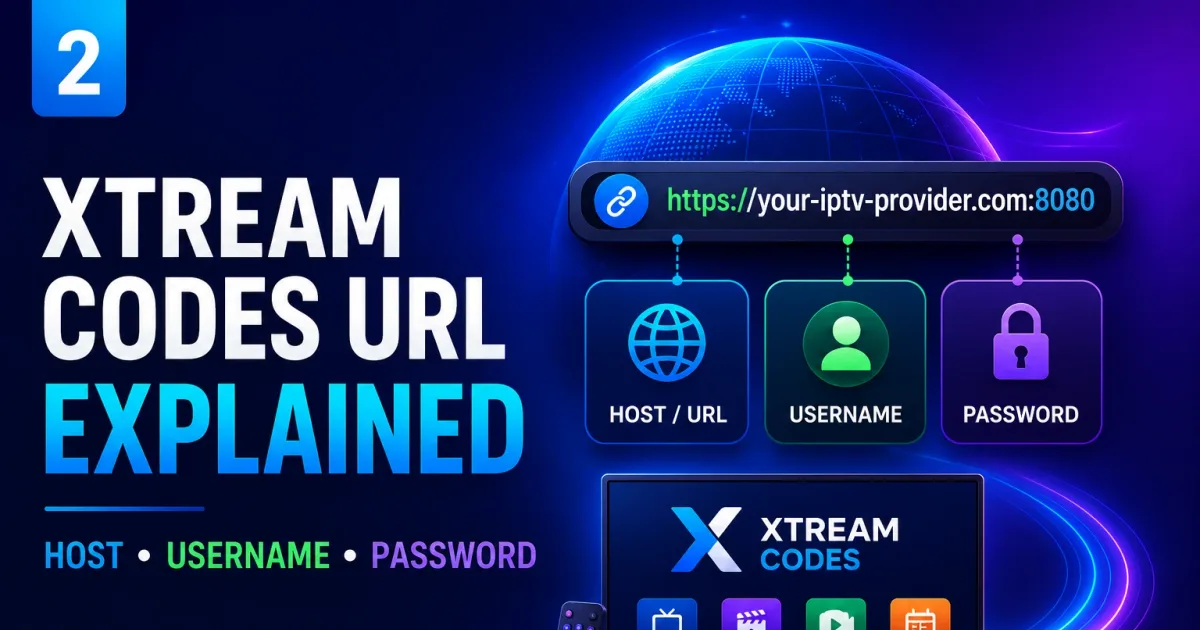
Every Xtream Codes player asks for the same three things: a server address, a username, and a password. Understanding how they combine saves a lot of confusion when an app shows errors.
The three parts
Server:   https://portal.example.com:8080
Username: alice123
Password: s3cret
Players vary in wording — portal, host, URL, server — but the meaning is the same. Some apps even accept the full address in one field, as in:
https://portal.example.com:8080/get.php?username=alice123&password=s3cretReading the server address
A server address has three sub-parts:
- Scheme (
https://orhttp://) — the protocol.httpsmeans the connection is encrypted. - Host (
portal.example.comor an IP like192.0.2.10) — where the portal lives. - Port (
:8080) — which service on that host. Common portal ports are 8080, 8000, 2095, and 8880, but yours may differ.
If the provider gives you an address without a port, the player uses its default (usually 8080 for these portals).
Why ports matter
A single server can host many services on different ports. The port in your address tells the player which one is the Xtream Codes portal. Getting the port wrong is one of the most common causes of “connection refused” — always use the exact address your provider sent.
The three URL forms you will meet
Form 1 — host only (what players ask for)
http://portal.example.com:8080Form 2 — the full login URL (what providers often email)
http://portal.example.com:8080/alice123/s3cretThe last two path segments are the username and password. Splitting this on / recovers all three fields for a player.
Form 3 — the playlist URL (what some players and all M3U apps need)
http://portal.example.com:8080/get.php?username=alice123&password=s3cret&type=m3u_plus&output=tsThis is the full playlist address; it also embeds your credentials. See Xtream Codes M3U.
What the credentials unlock
On login, the player sends the host, username, and password to the portal’s authentication endpoint. The portal replies with your account profile and, if authorized, the channel, movie, and series lists. That exchange is the Xtream Codes API at work.
Credentials travel in the URL
Unlike many websites, Xtream Codes does not rely on a login session. Every request — including stream playback — repeats your username and password. Any saved or shared URL can be reused by whoever sees it, so treat all three forms above as secrets.
Common errors and their meaning
- “Invalid credentials” or “login failed” — the username or password is wrong, or the account is disabled.
- “Connection refused” / “can’t connect” — the address or port is wrong, or the server is down.
- “Account has too many connections” — the provider caps simultaneous streams and your limit is reached.
- “Portal not found” — the address doesn’t point at an Xtream Codes portal, or the scheme/port is wrong.
- “404” or blank page when opening a playlist URL in a browser — the URL may be correct but designed for players, not browsers, or the credentials embedded in it are wrong/expired.
Work through each of these step by step in Xtream Codes troubleshooting.
Practical rules
- Copy, don’t type — addresses and passwords are easy to mistype; paste them when you can.
- Use https when offered — it protects your credentials in transit.
- Keep the address and password together but private — treat the pair like a key.
- Ask the provider for exact values — if any field is ambiguous, the provider’s setup page is authoritative.
- Check for trailing characters — a stray space or character from copy-paste is a classic login failure.
Security notes
Anyone with your portal URL and password can watch on your account and, depending on the provider, change settings. Never share them, and see Xtream Codes security for password-hygiene guidance.
Related reading
- How to log in to Xtream Codes — entering these values in any player.
- The Xtream Codes API — the endpoints behind the URL.
- Xtream Codes M3U — when the same URL appears inside a playlist.
Frequently asked questions
What are the three things I need to connect to Xtream Codes?
A server address (host and port), a username, and a password. Players call these the portal, user, and password fields.
Why does the address have a port like :8080?
The port tells the player which network service on the server to talk to. Xtream Codes portals commonly listen on 8080, 8000, or 2095, but any port can be used.
Is the password the same as my login password?
It is the password the provider issued for streaming. It may differ from any web-account password you use to manage the subscription.
References
Written by
Alex CarterTechnical Writer & IPTV Technology Analyst
Alex Carter is a technical writer and streaming-technology analyst with over a decade of experience documenting IPTV infrastructure, media player software, and streaming protocols. Alex has worked hands-on with Xtream Codes, M3U, and EPG tooling across Fire TV, Android, and smart-TV platforms, and writes approachable guides that respect both the reader's time and the legal boundaries of streaming technology.
- 10+ years documenting streaming and IPTV technologies
- Practical experience with Xtream Codes, M3U, EPG, and player software
- Focused on accurate, sourced, and privacy-respecting guidance
Related guides
setup
How to Log In to Xtream Codes: Step-by-Step
Log in to Xtream Codes by entering three things in your player: the host (server URL), username, and password. Here is exactly how to do it and what to do when it fails.
api
Xtream Codes API: The Complete Reference
The Xtream Codes player API is a set of HTTP endpoints that power login, channel lists, VOD, series, and EPG in IPTV players. This is the complete practical reference.
fundamentals
How Xtream Codes Login Works: Authentication Explained
Xtream Codes login is a stateless credential check over HTTP. This guide explains exactly what happens when you log in, what the account statuses mean, and how connection limits are enforced.