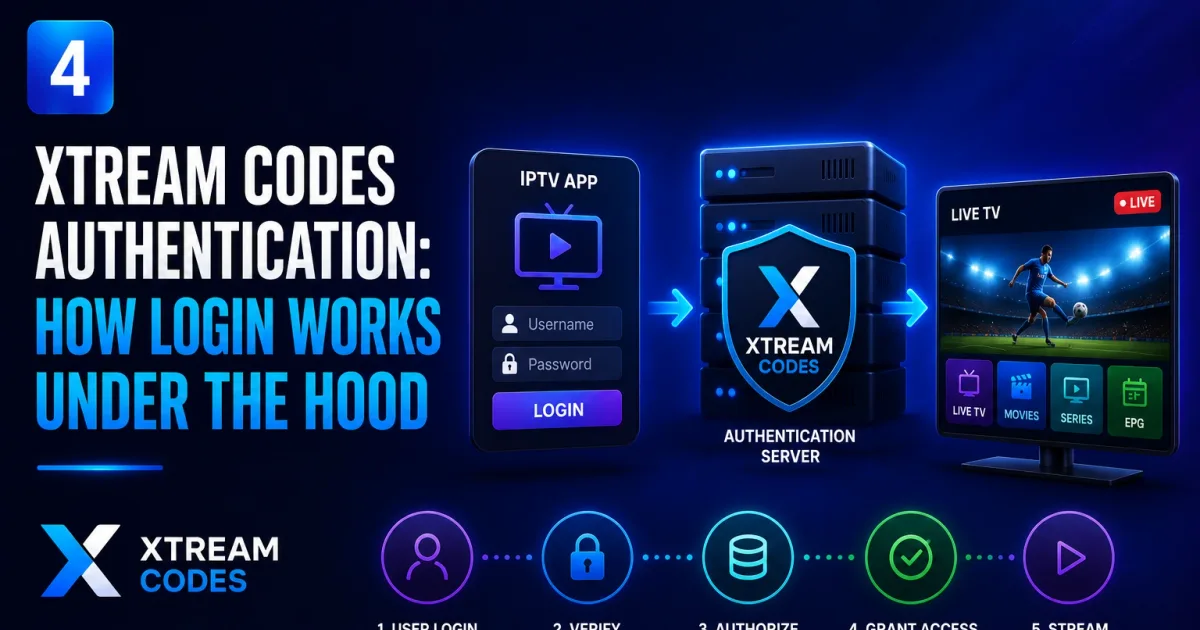
How Xtream Codes Login Works: Authentication Explained
How Xtream Codes authentication works — the credential check, account statuses, connection limits, and why credentials travel in the URL.
Understanding how Xtream Codes authentication works explains most login puzzles — from “why does every request carry my password?” to “why am I locked out when my TV is streaming?” This guide explains the mechanism behind the scenes.
The three-part credential
Every Xtream Codes account is identified by exactly three values:
- Host — the portal address, e.g.
provider.example:8080. - Username — your subscriber username.
- Password — your subscriber password.
There is no fourth piece — no API key, no device token. Providers sometimes package all three into a single URL like http://provider.example:8080/USERNAME/PASSWORD, which is why the same login works identically in every player that asks for “host, username, password.”
Authentication is stateless, not a session
When you tap “login” in a player, the app does an authentication check: it calls the portal’s API with your credentials and reads the reply. But the portal does not hand back a session token that later requests reuse.
Instead, every subsequent request repeats the credentials:
- Playlist fetches:
get.php?username=USER&password=PASS - API calls:
player_api.php?username=USER&password=PASS&action=... - Stream playback:
live/USERNAME/PASSWORD/1001.m3u8
This is closer to HTTP basic authentication than to a web-app session. The practical consequences:
- Any URL that contains the credentials authenticates as you. Logs, screenshots, and shared playlists leak full account access — see Xtream Codes security.
- There’s no “logout server-side.” You stop a session by closing the app; the credentials keep working from wherever they’re used.
- Changing your password invalidates every old URL at once, which is why it’s the effective response to a leaked playlist.
The authentication check and its response
When a player or script calls the API with only the credentials, the portal returns a user_info block:
{
  "user_info": {
    "username": "USERNAME",
    "auth": 1,
    "status": "Active",
    "exp_date": "1767225600",
    "max_connections": "2",
    "active_cons": "1"
  }
}
Two fields matter most:
| Field | Meaning |
|---|---|
auth | 1 = credentials accepted, 0 = wrong username/password |
status | Active, Expired, Disabled, or Trial |
The key distinction: auth says whether your password is right; status says whether your account is usable. You can be fully authenticated (auth: 1) and still be denied because the account is Expired or Disabled.
Account statuses and what they mean
| Status | Meaning | Typical cause |
|---|---|---|
Active | Account usable | Normal state |
Expired | Subscription ended | Missed payment, plan over |
Disabled | Account blocked | Billing issue, violation, or provider action |
Trial | Limited trial account | New/trial signup, often content-restricted |
A player that displays “Expired” is telling you the password is correct but the account isn’t active — renewing, not retyping, fixes it.
Connection limits and multi-device
Accounts define a maximum number of simultaneous connections (max_connections). Two behaviors follow:
- The same account can run on several devices up to the limit.
- Once the limit is reached, new logins are refused until another device disconnects — which is why a player streaming in the living room can block your phone.
This is also why the same credentials can “work in one app but not another”: the other app may already hold the connection slot.
How credentials travel, and the HTTP caveat
Credentials are transmitted with the request — in the URL path or query string. If the portal serves plain HTTP, they cross the network in cleartext:
- On HTTPS portals, the traffic is encrypted in transit.
- On HTTP portals, anyone who can observe the network (same Wi-Fi, an ISP, a compromised router) can read the credentials.
Check whether your provider offers HTTPS. If it does, prefer it — see Xtream Codes security for the full threat model.
A note for developers
If you’re building against the API, the authentication model shapes how you should store and send credentials:
- Keep them server-side. Don’t ship them to browsers or devices you don’t control.
- Use HTTPS wherever the portal supports it.
- Treat every URL as a secret. Build stream URLs at request time rather than storing full credential-bearing URLs.
- Validate and rate-limit your own integrations.
The full endpoint reference lives in Xtream Codes API.
Quick checklist
- Credentials are the whole security model — three values, nothing else.
- Every request carries them; there is no session token.
auth: 0= wrong credentials;status: Expired/Disabled= account problem.max_connectionsreached = another device is holding your slot.- Prefer HTTPS portals; treat credential-bearing URLs as secrets.
Next steps
- How to log in to Xtream Codes — the step-by-step user flow.
- Xtream Codes URL explained — what each part of the address means.
- Xtream Codes API — the endpoints that perform the check.
- Xtream Codes security — protecting your credentials.
- Xtream Codes errors — what common error messages mean.
- Xtream Codes security — protect the credentials everywhere they travel.
Frequently asked questions
Is Xtream Codes authentication a session login?
No. Authentication is stateless: every request repeats your username and password in the URL or header. There is no session cookie or token that stays valid on its own.
Why does my provider give me one long URL instead of separate fields?
The long URL contains all three credentials — host, username, password — in one string. It's a convenience format: split on the slashes to get the individual values.
What do the account statuses mean?
Portals report Active, Expired, Disabled, or Trial. Expired and Disabled mean the account is blocked regardless of whether the password is correct.
Why can't I log in when another device is streaming?
Accounts carry a max_connections limit. When it's reached, new logins are refused until another device disconnects.
References
Written by
Alex CarterTechnical Writer & IPTV Technology Analyst
Alex Carter is a technical writer and streaming-technology analyst with over a decade of experience documenting IPTV infrastructure, media player software, and streaming protocols. Alex has worked hands-on with Xtream Codes, M3U, and EPG tooling across Fire TV, Android, and smart-TV platforms, and writes approachable guides that respect both the reader's time and the legal boundaries of streaming technology.
- 10+ years documenting streaming and IPTV technologies
- Practical experience with Xtream Codes, M3U, EPG, and player software
- Focused on accurate, sourced, and privacy-respecting guidance
Related guides
fundamentals
Xtream Codes URL Format: Host, Port, Username and Password Explained
Every Xtream Codes connection uses a host URL, port, username, and password. This guide breaks down exactly what each part is and how to use it correctly.
setup
How to Log In to Xtream Codes: Step-by-Step
Log in to Xtream Codes by entering three things in your player: the host (server URL), username, and password. Here is exactly how to do it and what to do when it fails.
fundamentals
Xtream Codes: What It Is and How It Works
Xtream Codes is the server-side API platform that powers most IPTV subscriptions. Here is what the technology actually is, from portal to player.