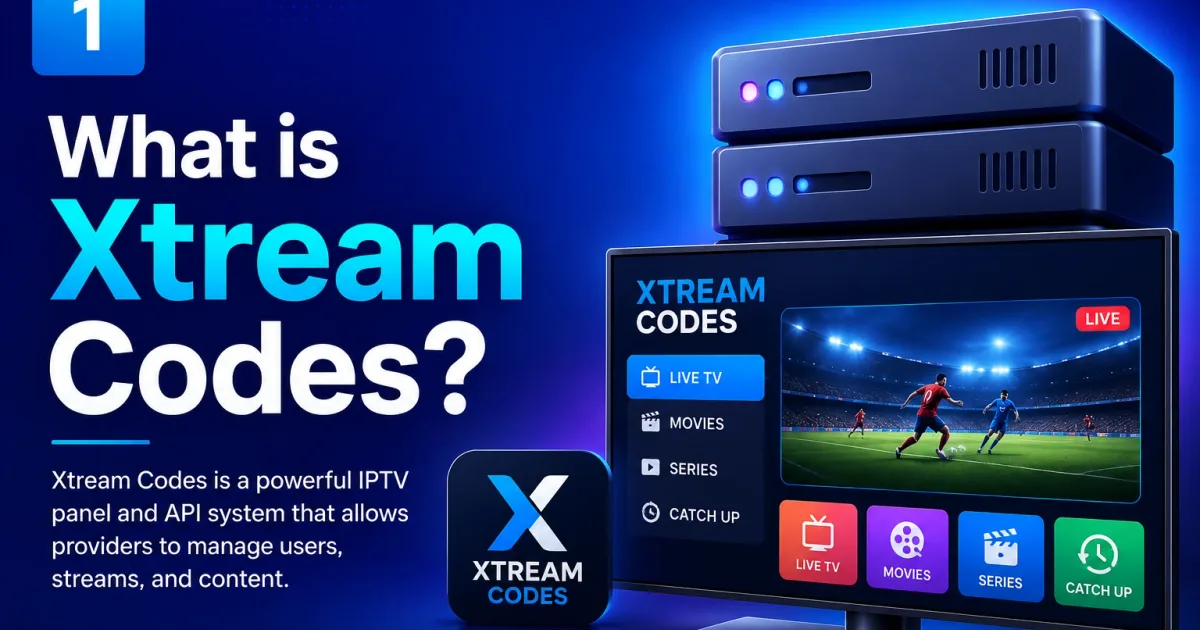
What is Xtream Codes API? How the Protocol Works
The Xtream Codes API is the protocol IPTV players use to authenticate users and retrieve channel lists. This guide explains how it works in plain English.
If you have ever signed up for an IPTV service and received a host URL, a username, and a password, you have already used Xtream Codes — whether you knew it or not. This article explains what it actually is, what the terms mean, and how the whole system fits together.
The simple version
Xtream Codes is a login system and data format for IPTV. Instead of a static file, your player contacts a server, logs in with your credentials, and downloads a live list of channels, movies, and series. The server is called a portal; the login format is called the Xtream Codes API.
Think of it like a website login — except instead of a webpage, you get a structured list of streams that your player can display and play.
Where the name comes from
Xtream Codes was originally the name of a company that built IPTV management software. Their portal software became popular, and the API it used became a de facto standard. When authorities shut down the company in 2019, the API format lived on — it had already been baked into dozens of player apps and was being used by hundreds of providers. Today “Xtream Codes” refers to the API standard, not the original company.
The three pieces of every Xtream Codes connection
Every Xtream Codes setup needs exactly three things:
| Piece | Example | What it is |
|---|---|---|
| Host | http://provider.example:8080 | Your provider’s server address and port |
| Username | john123 | Your account login name |
| Password | securepass | Your account password |
These are issued by your IPTV provider when you subscribe. They do not change unless your provider resets them or your subscription expires. Never share them — they are the only thing between your account and unauthorized use.
What happens when you log in
When you enter your credentials in a player, this is what happens step by step:
- The player sends an HTTP request to
http://YOUR_HOST/player_api.php?username=USER&password=PASS - The server checks your credentials and subscription status
- If valid, the server returns a JSON response containing your account info and — depending on the portal — the full channel and category list
- The player stores this data and builds the channel guide you see on screen
- When you press play on a channel, the player requests the stream URL for that channel specifically
This live, on-demand model is why Xtream Codes is more dynamic than M3U: the channel list updates automatically without you having to re-import a file.
Key terms explained
Portal — The server software running on your provider’s end. It manages accounts, streams, and EPG. You never interact with it directly; your player does.
Player API — The specific HTTP endpoints the portal exposes. The entry point is always player_api.php. See the full API reference.
EPG — Electronic Program Guide. The TV schedule data — show names, times, descriptions — that appears alongside live channels. It comes from a separate endpoint (xmltv.php) and needs to be configured in your player. See Xtream Codes EPG.
Stream types — The portal serves three kinds of content: live channels, VOD (Video on Demand — movies), and series. Each has its own API action and URL pattern.
Output format — Streams can be delivered as HLS (.m3u8) or MPEG-TS (.ts). Your account’s allowed_output_formats field tells you which your subscription supports.
Xtream Codes vs M3U — the short version
Both deliver channel lists. The difference is how:
- M3U is a static file. You download it once. If the provider changes anything, you need to re-download it.
- Xtream Codes is a live API. Your player queries the server on every launch and gets the current state.
Most providers support both. Use Xtream Codes login when your player supports it — it gives you proper categories, automatic updates, and EPG integration. Use M3U when your player only supports playlist files. See the full Xtream Codes vs M3U comparison.
Which players support Xtream Codes?
Most modern IPTV players have a dedicated “Xtream Codes” or “Xtream API” login option. The most widely used ones:
- TiviMate — Android TV and Fire TV, best overall for TV use
- IPTV Smarters — Android, iOS, and Windows, most cross-platform
- OTT Navigator — Android, best for power users
- XCIPTV — Android, clean interface
- Kodi with PVR IPTV Simple Client — all platforms, most flexible
- VLC — all platforms, good for quick testing
See Xtream Codes player apps for a full breakdown with setup steps for each.
What the URL actually looks like
Once you have your three pieces, the full connection URL follows a predictable pattern:
http://HOST:PORT/player_api.php?username=USER&password=PASSFor streaming a live channel with stream ID 1001:
http://HOST:PORT/live/USER/PASS/1001.m3u8For a movie with VOD ID 2001:
http://HOST:PORT/movie/USER/PASS/2001.m3u8Your player builds these URLs automatically — you never type them yourself. But understanding the pattern is useful for troubleshooting. See Xtream Codes URL explained.
Security basics
Your host, username, and password give full access to your subscription. A few rules:
- Never share them, post them online, or send them in plaintext
- Use HTTPS if your provider’s portal supports it
- If your provider offers connection limits, keep them tight — one per device you actually use
- If you suspect your credentials have been shared, ask your provider to reset your password
See Xtream Codes security for a full guide.
Next steps
Now that you know what Xtream Codes is, the logical next steps depend on what you want to do:
- Set up a player for the first time → Xtream Codes setup guide
- Understand the URL and port format → Xtream Codes URL explained
- Choose the right player app → Xtream Codes players
- Fix a login or streaming problem → Xtream Codes troubleshooting
- Explore the raw API → Xtream Codes API reference
Frequently asked questions
What is Xtream Codes?
Xtream Codes is both a brand of IPTV server software and an open API standard that IPTV players use to authenticate users and retrieve channel lists, movies, series, and EPG data from a streaming portal.
Is Xtream Codes legal?
Xtream Codes is technology — the software itself is neutral. Legality depends entirely on the content streamed through it and whether the provider has proper licensing. The same API powers legal and unauthorized services alike.
What do I need to use Xtream Codes?
Three things: a host URL, a username, and a password — all provided by your IPTV service. You also need a player app that supports Xtream Codes login, such as TiviMate, IPTV Smarters, or Kodi with PVR IPTV Simple Client.
Is Xtream Codes the same as M3U?
No. M3U is a static playlist file format. Xtream Codes is a live API — the player queries the server each time and gets an up-to-date channel list. Portals can expose both; they serve different player types.
What happened to the original Xtream Codes company?
The original Xtream Codes company was shut down by authorities in 2019 following a piracy investigation. However, the API format they created had already been adopted industry-wide, and compatible portal software continued under other names.
References
Written by
Alex CarterTechnical Writer & IPTV Technology Analyst
Alex Carter is a technical writer and streaming-technology analyst with over a decade of experience documenting IPTV infrastructure, media player software, and streaming protocols. Alex has worked hands-on with Xtream Codes, M3U, and EPG tooling across Fire TV, Android, and smart-TV platforms, and writes approachable guides that respect both the reader's time and the legal boundaries of streaming technology.
- 10+ years documenting streaming and IPTV technologies
- Practical experience with Xtream Codes, M3U, EPG, and player software
- Focused on accurate, sourced, and privacy-respecting guidance
Related guides
players
Best Xtream Codes Players Ranked (2026): TiviMate vs Smarters vs OTT Navigator
Every major Xtream Codes player ranked across EPG quality, platform support, and ease of use — with a clear winner for each device.
troubleshooting
Xtream Codes Not Working: 9 Fixes That Actually Solve It
Most Xtream Codes failures trace to one of nine root causes. Work through this checklist in order and you will find your problem within minutes.